
How to Download and Register on PK AVIA Game
PK AVIA is designed to work on both Android and iOS devices. New users can open the platform through its official website, create an account and access the available games from their mobile phones. The setup process is slightly different on Android and iPhone, so follow the instructions for your device.
How to Download PK AVIA Game on Android
Android users should begin by opening Google Chrome or another trusted browser on their phone. Enter pkaviagame.com directly into the address bar instead of searching through random download websites. Checking the website address carefully helps you avoid fake pages that may use a similar name or logo.
Once the PK AVIA homepage opens, look for the Download, Android App or APK Download button. Its position may change depending on the current design of the website. Tap the download option and wait for the APK file to finish downloading.
Your phone may display a message explaining that the file could be harmful because it is coming from outside the Google Play Store. Before continuing, make sure the file was downloaded directly from the correct PK AVIA domain and not from an advertisement or an unrelated APK website.
After the download is complete, open the notification panel and tap the downloaded APK file. You can also find it by opening the Files or Downloads folder on your phone.
If Android blocks the installation, it may ask you to allow installations from your browser. Open the permission screen shown on your device and enable Allow from this source for the browser you used. Return to the downloaded file and tap Install.
The installation may take a few moments. When it finishes, select Open to launch PK AVIA immediately, or tap Done to open it later from your app screen. For better security, return to your phone settings afterward and disable the permission that allows your browser to install unknown applications.
When an APK download button is not available, Android users can still open PK AVIA Game in Chrome. Tap the three-dot menu and select Add to Home Screen. This creates a shortcut, allowing you to open the website from your Home Screen without typing the address every time.
How to Register on PK AVIA Using Android
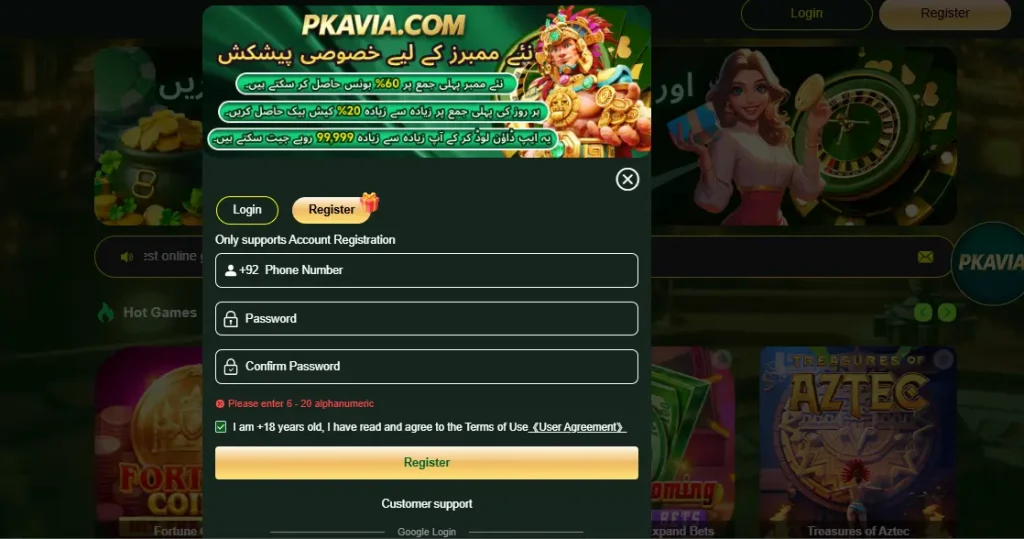
Open the PK AVIA Game app or mobile website and tap the Register or Sign Up button. A registration form will appear on the screen.
Enter the requested information carefully. Depending on the version of the platform, you may be asked to provide a mobile number, username or another account identifier. Create a strong password containing a mixture of letters, numbers and symbols. Avoid using the same password that you already use for your email, banking app or mobile-wallet account.
Re-enter the password if a confirmation field appears. Some registration forms may also include an invitation or referral-code box. Only enter a code when you received it from someone you know. Leave the field empty when it is optional and you do not have a valid code.
Read the age and account terms displayed beside the registration form. Tick the agreement box only after reviewing the information. Tap Register, Create Account or Join Now to submit your details.
PK AVIA Application may send a verification code to the mobile number used during registration. Enter the correct code on the verification screen to activate your account. Once the process is complete, log in using the username or phone number and password you created.
How to Download PK AVIA Game on iPhone and iPad
PK AVIA may not be available as a regular application in the Apple App Store. iPhone and iPad users can access it through Safari and add the website to their Home Screen.
Open Safari and type pkaviagame.com into the address bar. Wait for the homepage to load, then check that the domain shown at the top of the browser is correct.
Tap the Share icon in Safari. It normally appears as a square with an upward-pointing arrow. Scroll through the available actions and choose Add to Home Screen.
Safari will show the name and website address of the shortcut. Keep the suggested name or change it to PK AVIA, then tap Add in the upper-right corner. A new icon will appear on the iPhone or iPad Home Screen.
Tap the icon whenever you want to open the platform. It will launch the mobile version of PK AVIA through Safari and provide an experience similar to a web application. There is no need to install an unknown configuration profile or trust an unidentified developer simply to create this shortcut.
Avoid websites offering unofficial PK AVIA Game IPA files, enterprise certificates or developer profiles. These installation methods are different from adding a normal Safari shortcut and may require access to sensitive parts of the device.
How to Register on PK AVIA Using iPhone
Open PK AVIA from Safari or tap the shortcut added to your Home Screen. On the homepage, select Register.
Complete each visible field with accurate information. Enter your mobile number or chosen username, depending on what the form requests. Create a unique password and type it again in the confirmation field when required.
If the page asks for a verification code, wait for the message to arrive on your registered phone number. Enter the code exactly as shown before it expires. Do not share this code, your password or any mobile-wallet PIN with another person.
Review the registration details before submitting the form. Make sure the mobile number is correct because it may later be used for login, verification or account recovery. Accept the displayed terms and tap the button to create the account.
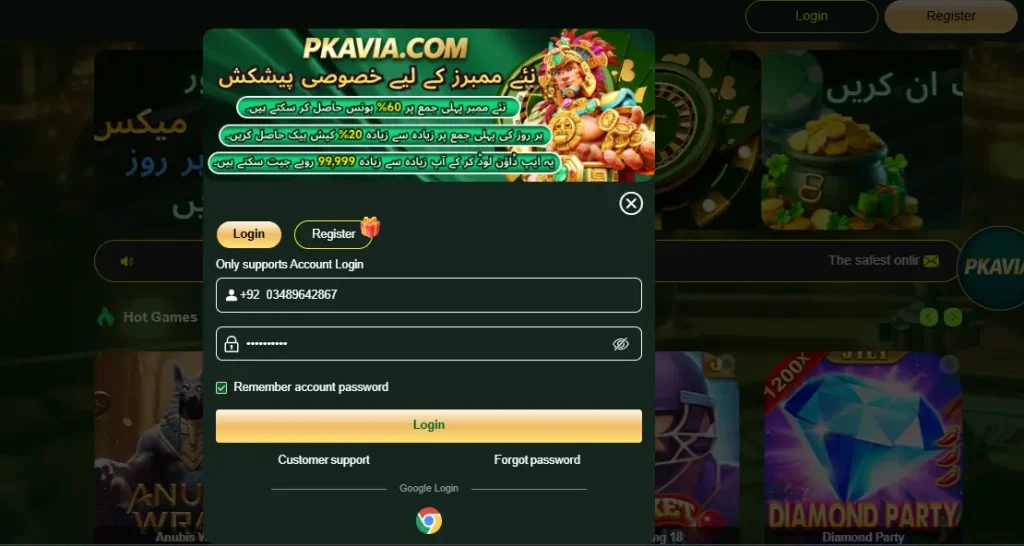
After the account has been activated, return to the login screen. Enter the same phone number or username and password used during registration. You can then sign in through Safari or the PK AVIA Home Screen shortcut whenever you need to access your account.